
 Sign in
How to Subscribe
Step 1: Go to the Subscriptions page

You’ll find the entry point in the website header under “All Products”
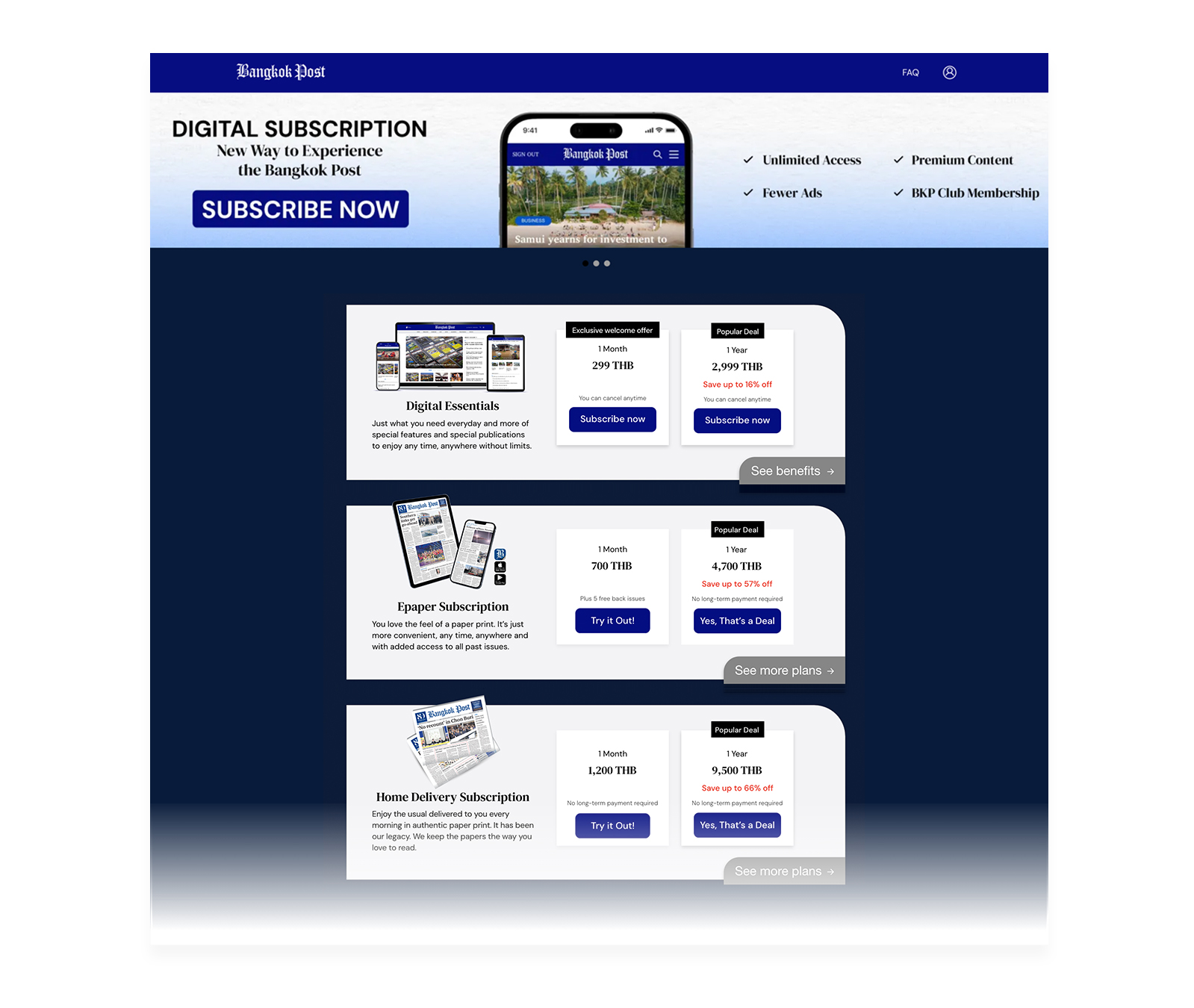
Look for the product called
“Digital Subscription”
Click the “Subscribe Now” button or, explore the benefits first before subscribing.
Step 2: On the Digital Subscription page
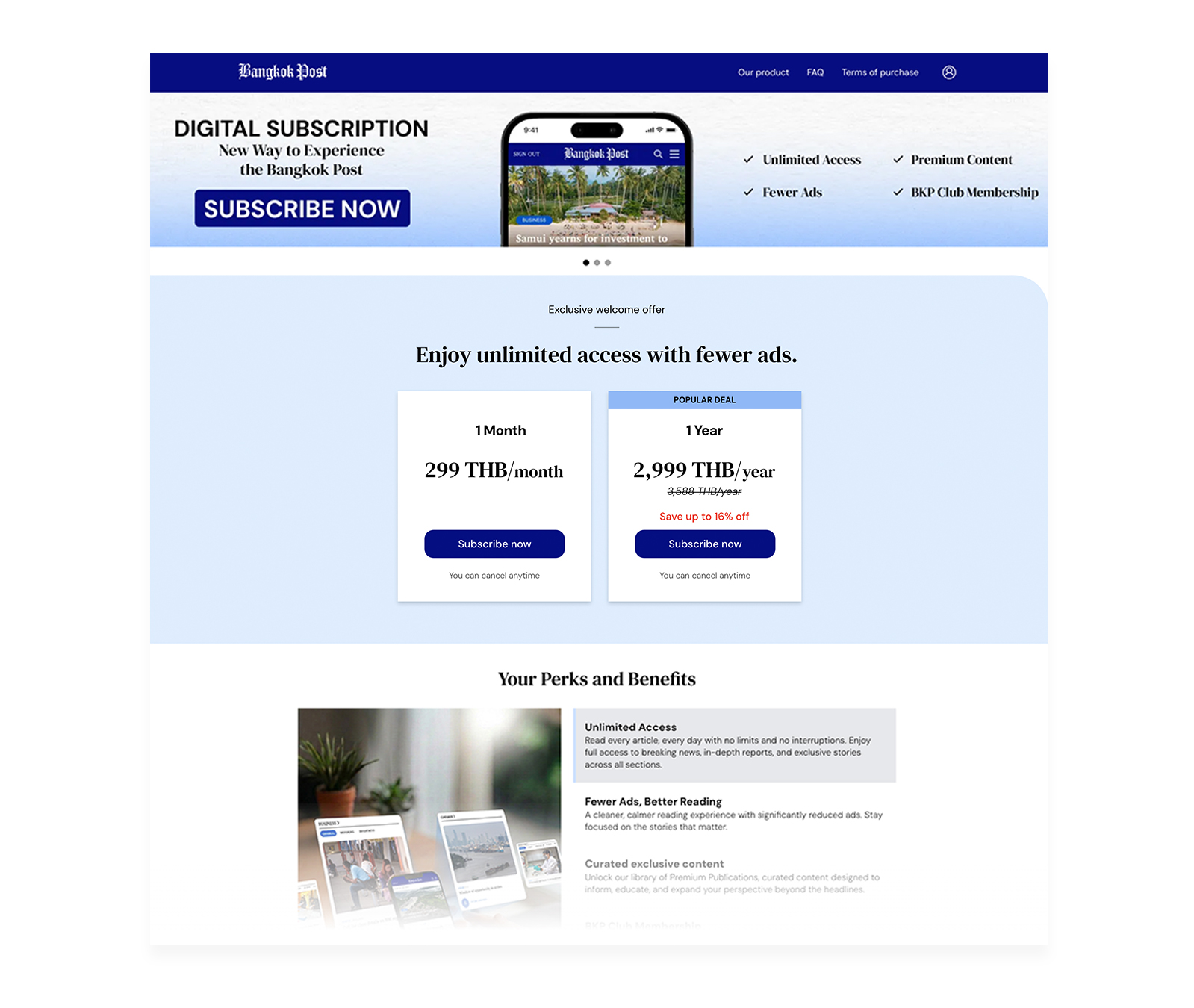
Click the “Subscribe Now” button
Step 3: Sign In
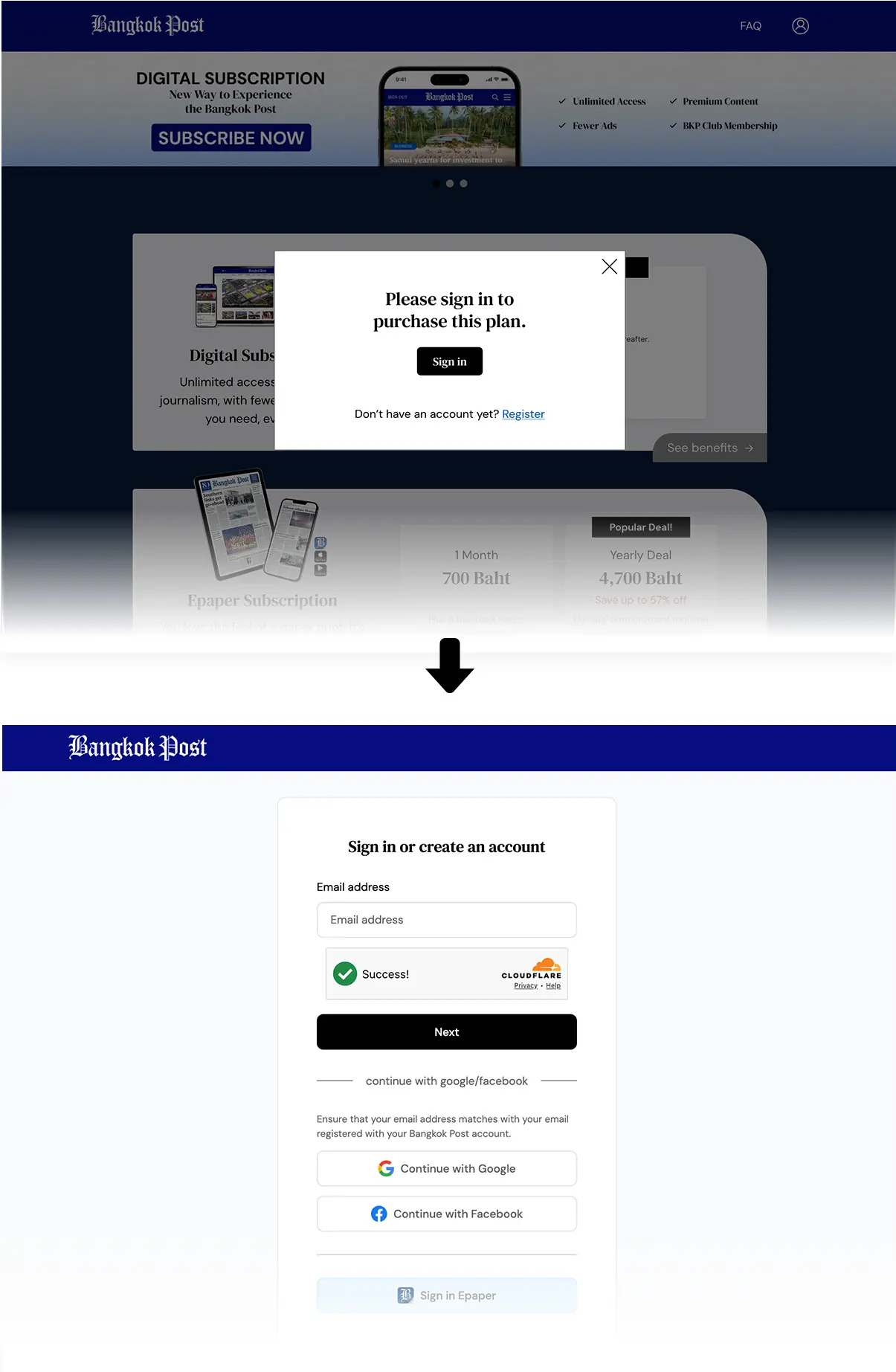
Sign in, or create a member account first if you don’t have one yet
Step 4: Payment Information
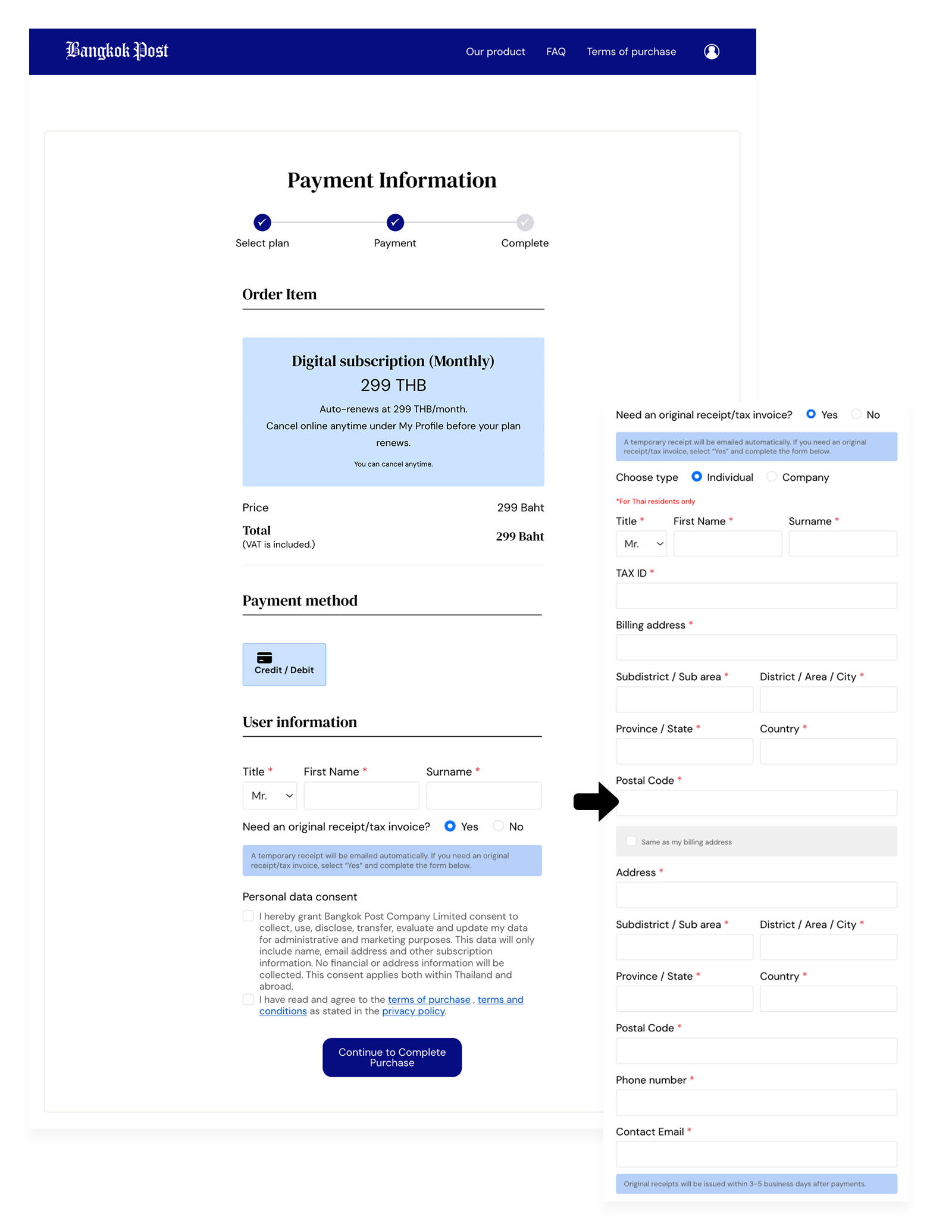
Select your payment method
Enter your user information
If you need a tax invoice, select “Yes” and fill in the required details
Check the box to consent to personal data processing
Click “Continue to Purchase”
Step 5: Debit or credit card information
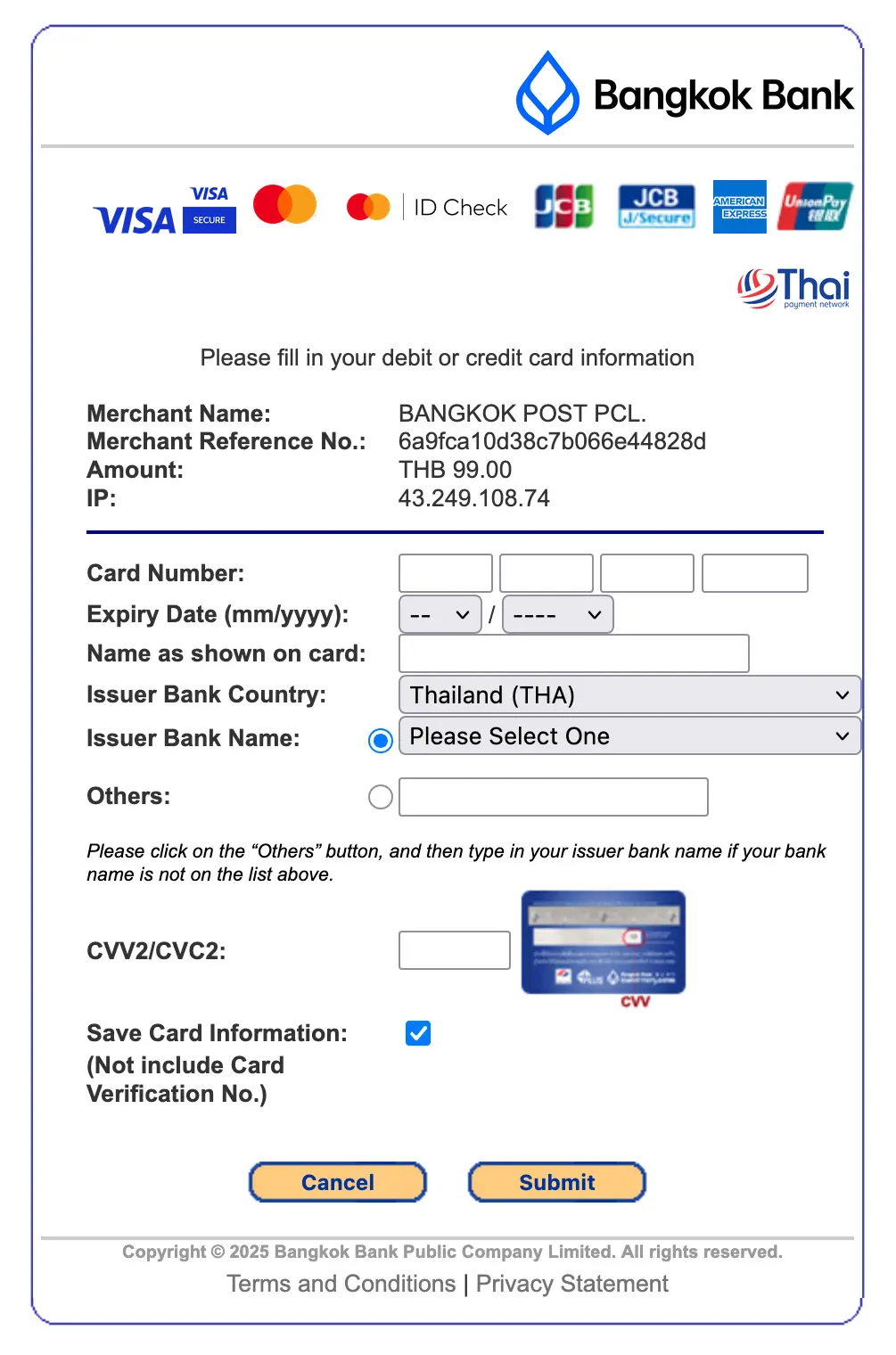
You’ll be redirected to the Bangkok Bank (BBL) payment gateway to complete your card payment
Step 6: Thank you
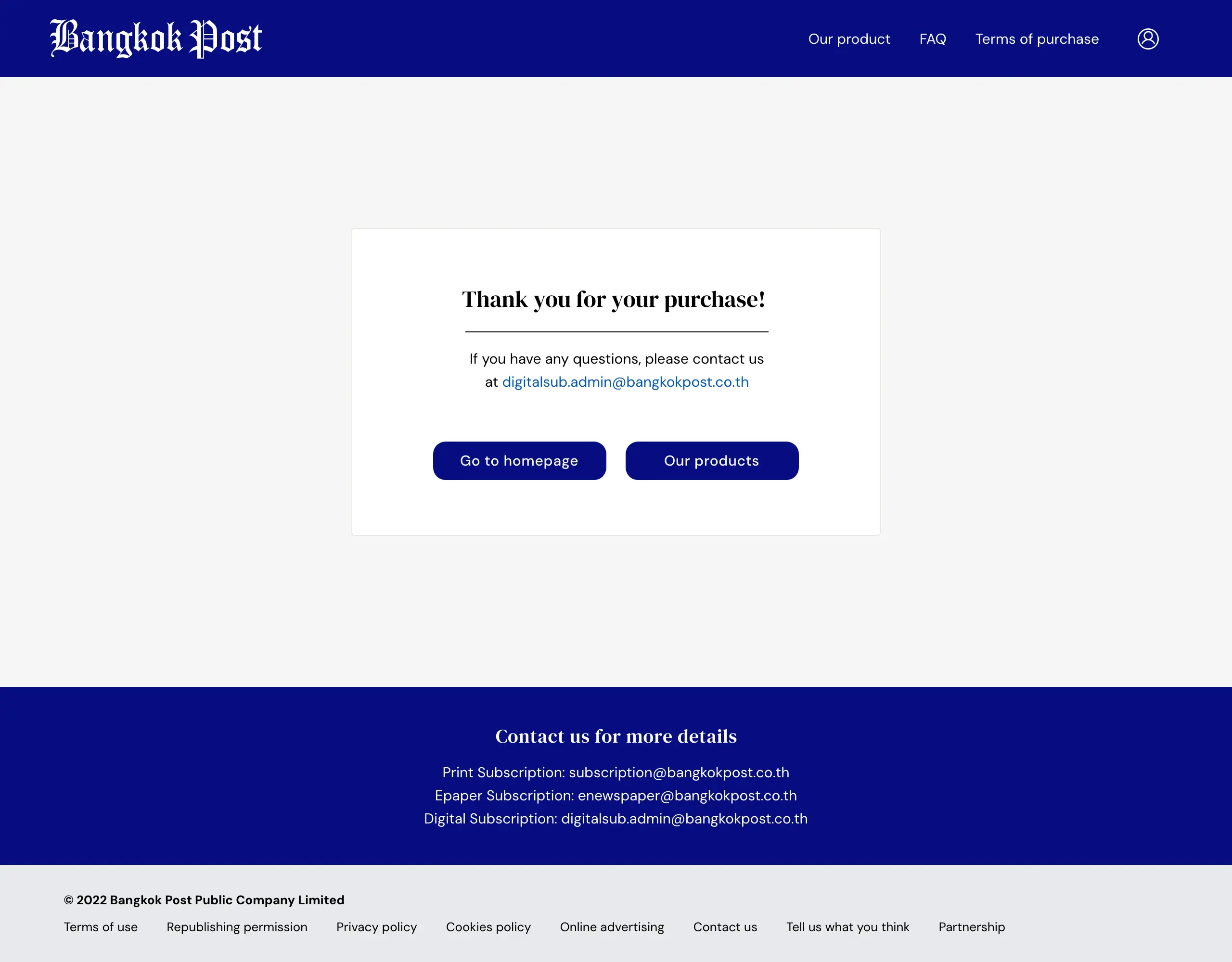
Once your purchase is complete, you’ll see the “Thank You” confirmation page
Step 7: Check Your Email
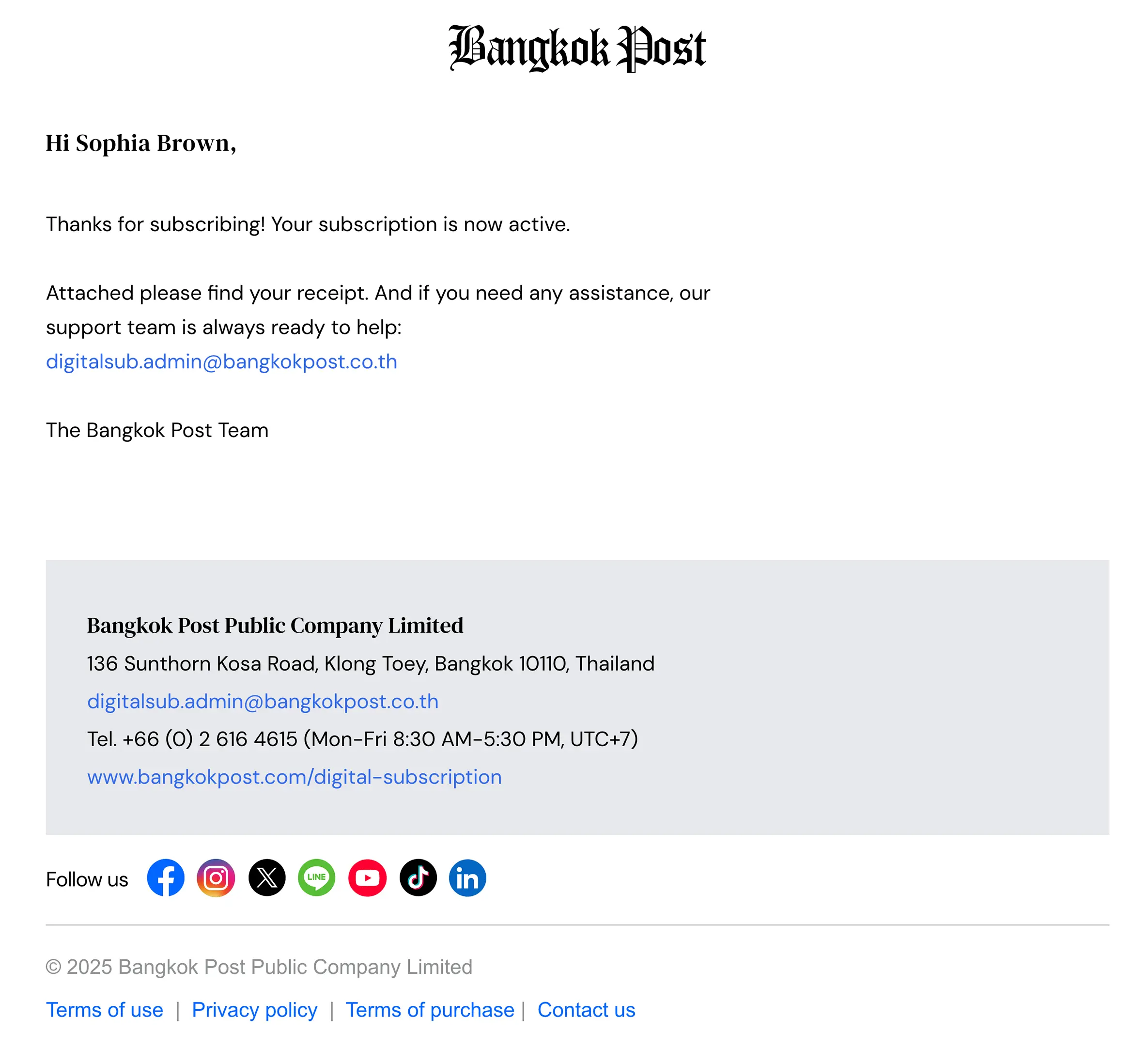
After completing your purchase, you’ll receive an email with the
subject line:
“Your payment has been confirmed”
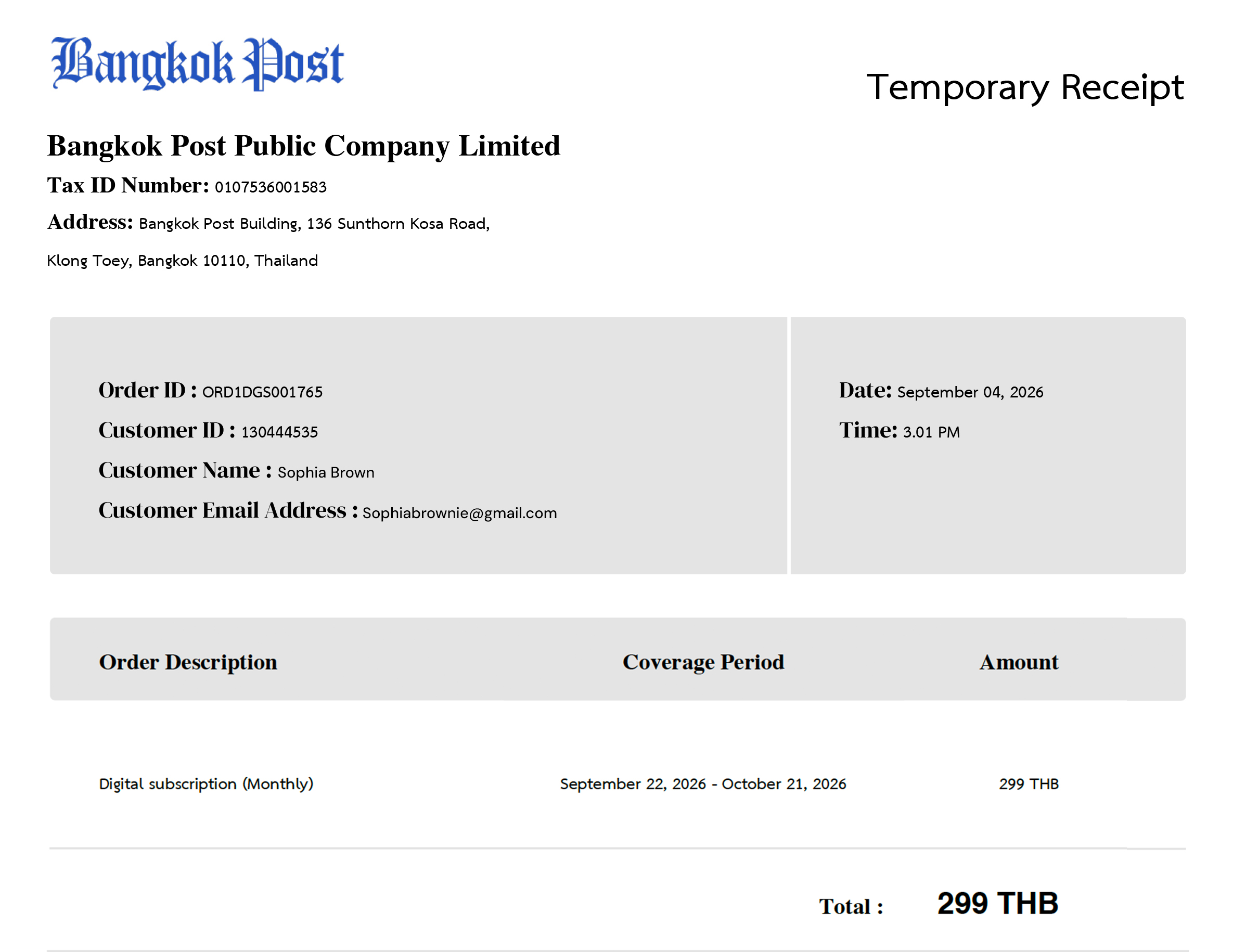
The email will include an attached PDF file of your Temporary Receipt
Step 8: Confirm your subscription status

Click the profile icon at the top of the website to go to your My Profile page.
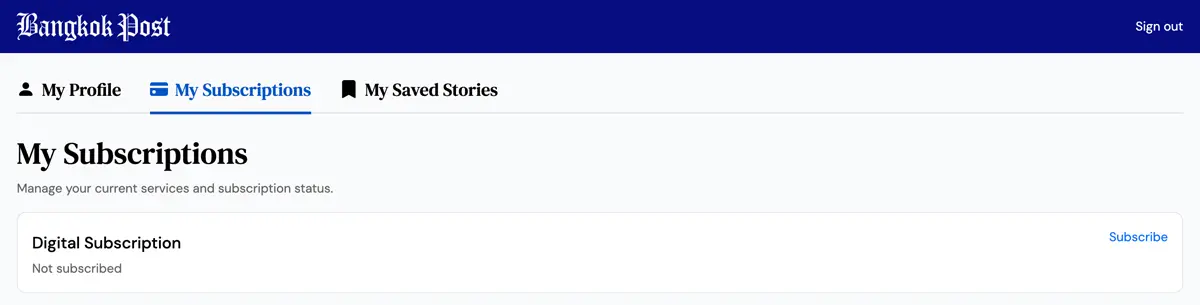
Select the “My Subscription” tab to check your subscription status.