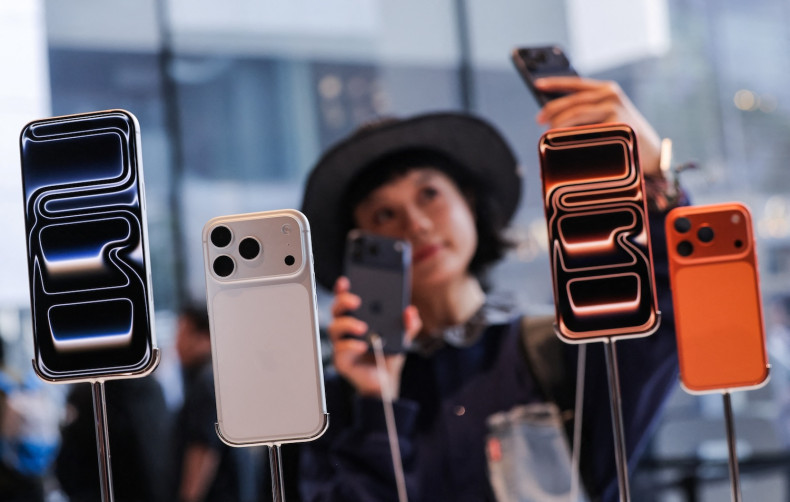
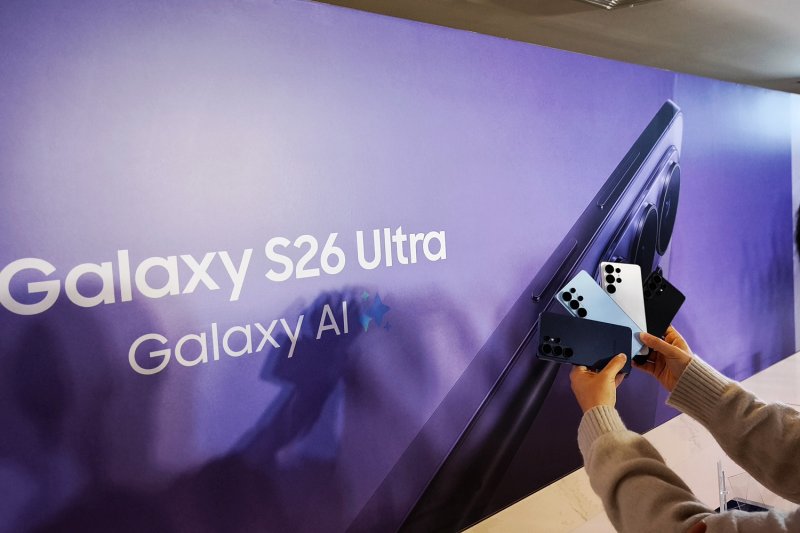
Samsung’s Galaxy S26 Ultra has arrived in Thailand as a privacy-first flagship built for life in crowded places, led by a built-in “Privacy Display” that makes your screen harder to read from the sides — a handy trick on BTS platforms, in airport lounges and at café tables where strangers sometimes sit close enough to know your bank balance and your bad taste in group chats.
Samsung is betting the feature is more than a party trick, and it has some fresh bragging rights to match. The company says the S26 Ultra won “Best in Show” at the Global Mobile Awards during Mobile World Congress 2026 in Barcelona, an endorsement it is using to underline its push for privacy as the hardware upgrade people will actually notice.
The pitch comes with a dose of déjà vu. The S26 Ultra looks much like last year’s model — a big, flat, premium slab with a prominent camera bump. Clearly, Samsung is leaning more on software and practical refinements than a dramatic redesign, even as it keeps the phone thin at 7.9mm.
At the centre of the story is the Privacy Display itself. Samsung and independent explainers describe it as a hardware-level approach that controls how pixels emit light, keeping the screen clear head-on while making it tougher to decipher from the sides, and allowing users to decide what to hide — the full screen, specific apps, or even incoming notifications.
![[Please sub then hold] Galaxy S26 Ultra makes your banking app a private affair](https://static.bangkokpost.com/media/content/20260401/6032035.jpg)
There is, however, no free lunch — not even at flagship prices. Samsung’s own support notes that a “maximum” setting can dim the display further to narrow visibility even more. I found that the privacy modes can come with a hit to visual quality, such as text that occasionally looks slightly “oily” from certain angles. I usually set the Privacy Display on this phone to only work on my notifications and banking apps.
On the Samsung Galaxy S26 Ultra, the “AirDrop” experience is delivered through an updated Quick Share that, once you’ve installed the relevant One UI 8.5 update, lets you wirelessly send and receive photos, videos, and documents directly with Apple devices (like iPhone/iPad/Mac) without needing to install any extra app, as long as you enable the Apple-sharing toggle inside Quick Share (via Settings → Connected devices → Quick Share → “Share with Apple devices”) and set device visibility appropriately—typically requiring the receiving side to allow discovery in an “Everyone (for 10 minutes)” style mode—so nearby Apple devices can appear as share targets and the transfer feels much more smooth and seamless across Android and iOS, with the practical note that the option may only show up and work correctly after the necessary firmware or components are updated. This enables people that use (or have friends) that use iPhones, Macintoshes or iPads the ability to easily share files seamlessly.
Hardware tweaks focus on daily carry rather than headline-grabbing reinvention. Specs listings put the device at 214 grammes with a 6.9-inch display, while Samsung’s marketing leans on the same message: slimmer, lighter and still unashamedly large. If you prefer small phones, the S26 Ultra remains less “handset” and more “hand-luggage”.
Under the hood, Samsung sticks to the familiar Ultra formula: the Snapdragon 8 Elite Gen 5 platform paired with One UI 8.5 on Android 16, with excellent AI capabilities as much as raw speed.
Newer AI features include “Now Nudge” for contextual suggestions. And there’s a plethora of not-so-new useful AI features like spam call screening, live translation, webpage summarising, cartoon avatar creation, audio eraser to remove wind or crowd noises, alongside updates to tools such as Circle to Search. The phone comes with Google Gemini 3.1 Pro out of the box.
Photography is more polish than reinvention, but there is one meaningful optical twist. Samsung has shifted the 5x zoom to its ALoP (All Lenses on Prism) design, delivering a wider f/2.9 aperture and a shorter module than conventional periscopes, it captures more light than the previous generation but with a trade-off in minimum focusing distance, rising from 26cm to 52cm.
![[Please sub then hold] Galaxy S26 Ultra makes your banking app a private affair](https://static.bangkokpost.com/media/content/20260401/6032030.jpg)
Video is another quiet battleground, and Samsung is chasing creators with a new professional codec. Samsung says the S26 Ultra is the first Galaxy device to support its Advanced Professional Video (APV) codec, designed for high-quality, edit-friendly footage, while Android-focused coverage says APV can be recorded at up to 8K at 30 frames per second and is aimed at “visually lossless” capture for more serious workflows.
Stylus fans are not left out, though they may need to lower expectations — and possibly their Bluetooth ambitions. Samsung says the S Pen remains part of the S26 Ultra experience, but does not rely on Bluetooth for pairing or charging. Once again, it is a passive stylus rather than a remote-control wand.
For buyers in Thailand, the numbers land with the force of a notification you cannot ignore. Thai retail listings and local price round-ups put the Galaxy S26 Ultra at 46,900 baht for the 256GB model, with higher prices for larger storage options — meaning privacy, as ever, carries a premium.
If your phone life is lived in public — commuting, travelling, working from cafés — the Privacy Display is one of the most practical new hardware features on a mainstream flagship this year, and it arrives alongside familiar Ultra strengths in power, cameras and creator tools. Just try not to swivel the screen dramatically on the BTS to impress strangers; in Bangkok, that is how you accidentally start a conversation.